
How to Use OCR to Make Your Document Archive Fully Searchable
Key Takeaways
Transitioning from static images to intelligent, data-driven archives is essential for maintaining efficient operations. This guide explores how OCR technology helps you build a search-friendly document archive.
- OCR software translates image-based files into selectable, searchable text.
- Proper document preparation and organization are prerequisites for successful automated indexing.
- Cloud-based storage allows for better accessibility and integration across global teams.
- Regular audits and security updates ensure that your digital library remains accurate and compliant.
- Investing in professional software simplifies the management of high-volume scanning project workflows.
Understanding OCR and its role in modern workflows
Optical Character Recognition is the technological bridge between physical paper archives and digital information management. By processing digital images, OCR engines detect individual characters and convert them into layers of editable information. This capability makes vast quantities of legacy files instantly useful as part of a functional business archive.
Definition and function of Optical Character Recognition
The fundamental purpose of this technology is to interpret the visual patterns of letters and numbers within a static image. When a scanner captures a physical document, it produces a high-fidelity picture that computers generally cannot search for content. By applying linguistic recognition algorithms, the software identifies glyphs and creates a text layer indexed atop the image, allowing users to select or search for content within the file.
Benefits of an ocr searchable document archive
Converting traditional archives into a searchable document library allows organizations to move away from visual browsing. Instead of spending hours manually reviewing folders, staff can leverage keyword queries to pinpoint granular data within thousands of files. This process significantly reduces the overhead associated with information retrieval while increasing the overall transparency of your data holdings.
How text extraction changes document retrieval
Text extraction software, such as the solutions offered by Datalogics, transforms document management systems by turning static images into intelligent assets. By identifying text strings across diverse media, programs can automate data entry and accelerate search tasks that would otherwise require manual intervention. This shift in documentation practices ensures that historical data remains as findable as today's dynamic information streams.
Preparing your physical and digital documents
Before processing any large set of records, you must ensure that your source material is optimized for machine interaction. Quality input directly correlates to the accuracy of the final character recognition, meaning messy files can lead to disappointing indexing results. Taking time to format your documents creates a cleaner baseline for future software processing.

Establishing naming conventions for scanned files
Implementing a strict naming schema prevents data silos from forming within your storage platform. Use a consistent pattern, such as YYYY-MM-DD-Clientname-DocumentType, to ensure that files remain sorted chronologically even before textual content is processed. This approach helps software developers build stronger directory structures that support your eventual search objectives.
Cleaning up image quality for better results
Poor image resolution or high levels of grain can baffle the best OCR engines, resulting in errors during the conversion pass. Before scanning, check the document surfaces for smudges, dust, or heavy shadows that might obscure character definitions. Cleaning glass beds and using simple image-enhancing utilities will yield much higher precision during the digitizing stage.
Organizing file hierarchies before processing
Grouping files into logical subfolders before beginning the batch import facilitates a more structured metadata application process. By segregating documents by department, year, or sensitivity level, you provide the software with necessary context for automated tagging. Well-organized hierarchies translate into a cleaner, more intuitive user interface when the digital archive goes live.
Selecting software for your scanning and indexing needs
Finding the right technical foundation is the most critical decision in your archival strategy. Your choices will dictate the performance, scalability, and ease of use that your team experiences throughout the life of the digital library. Evaluating your specific needs against available options will save significant time in the long run.
Desktop-based versus cloud-based OCR solutions
Desktop applications provide local processing control and high performance for smaller collections, whereas cloud solutions offer scalable computing power for enterprise needs. Cloud-based platforms are increasingly favored because they allow for automatic updates and multi-user access from any location. Choosing between these depend on your data sensitivity, existing IT architecture, and expected daily volume of scanning operations.
Evaluating software for high-volume ocr document management
Managing complex record sets often requires the specialized support provided by eRecordsUSA, which offers robust pathways for digitizing extensive archives. When selecting enterprise-grade tools, focus on the software's ability to handle high-concurrency tasks and its batch-processing speed. Reliability in high-volume environments prevents bottlenecks that often plague custom-built or basic archival software.
Considering integration capabilities with existing storage
Connectivity is essential if you want to avoid silos, which is why Folderit's Document Management System excels by incorporating OCR seamlessly into established cloud archives. Look for software that connects directly to your existing servers via API. When tools communicate successfully with your primary databases, you eliminate manual uploads and improve the overall flow of information between team members.
Step-by-step process to create a search-friendly library
Converting your physical legacy into a digital one requires a methodical approach that prioritizes data integrity. The process involves multiple stages of careful digitization to ensure every word is properly captured. Following a standardized workflow helps prevent errors and ensures that future users can locate text in scanned pdfs with total confidence.
Initial scanning and digitization standards
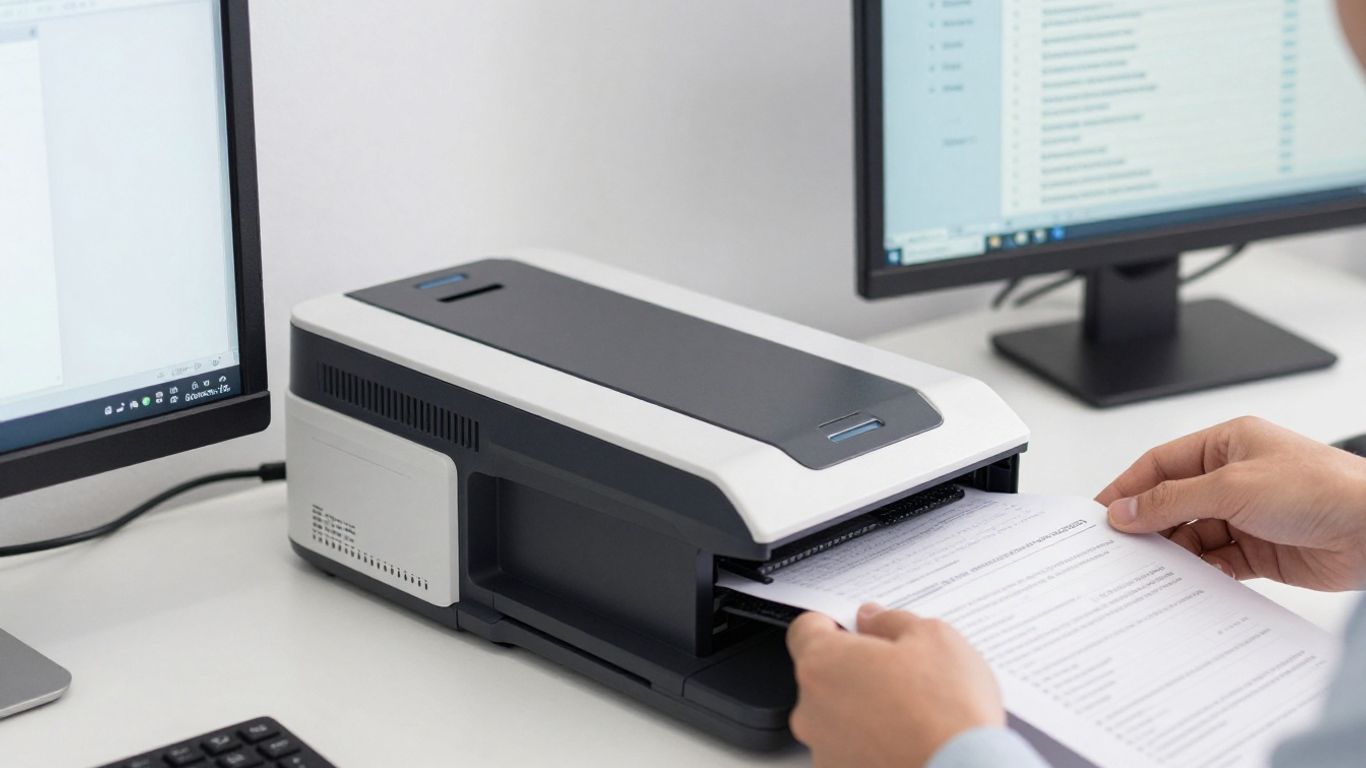
Standardize your hardware setup to use the highest reliable scanning resolution settings for each document type to capture fine print clearly. Always keep a master copy of the initial raw scan alongside the digitized version. This maintains a clear record of the original document should any re-processing be required down the line.
Configuring recognition settings and language packs
Incorrect language settings lead to poor recognition of specialized characters or scientific notations within your documents. Configure your software to detect specific languages or character sets to improve accuracy rates across your collection. By defining these parameters early, you ensure the engine correctly identifies every unique textual element.
Validating scan accuracy and metadata tagging
Manual verification of a subset of processed files is a necessary check to guarantee that your software's sensitivity levels are calibrated correctly. Applying intelligent metadata tags at this stage enhances the searchability of your documents substantially. As you evaluate your progress, you can refer to an OCR scanning guide to verify that your current workflows align with industry best practices.
Following validation, consider organizing your project tasks into a simple table to keep stakeholders informed of the progress across various batches:
| Process Phase | Task Description | Status |
|---|---|---|
| Digitize | High-res image capture | Completed |
| OCR Path | Text layer application | Ongoing |
| Tagging | Metadata audit | Pending |
Finally, maintain a quick list of mandatory items for your team to double-check before finalizeing any new batch:
- Ensure image resolution exceeds 300 DPI.
- Verify the language pack matched the document origin.
- Confirm that searchable text layers reside on top of images.
- Log the batch identifier in the primary status spreadsheet.
Overcoming technical hurdles in character recognition
Even with modern tools, specific physical and digital challenges often require human intervention or fine-tuned software settings. Understanding how to navigate these hurdles keeps your archive project moving forward without costly downtime. Most common issues stem from document age, noise, or layout complexity.
Dealing with poor lighting and document degradation
Older files often exhibit yellowing or fading that confuses automated recognition software. To overcome this, use image filters in your processing software to boost contrast and desaturate background noise before the OCR pass begins. This pre-processing helps the engine distinguish between faint character ink and the degraded paper texture effectively.
Handling complex formatting and handwritten notes
Multi-column layouts or documents featuring complex diagrams often result in broken or nonsensical text strings after extraction. To mitigate this, define zone settings that tell the software exactly where to search for text while ignoring graphical elements. For handwritten notes, consider specialized AI-driven platforms that can interpret cursive patterns, as standard OCR often struggles beyond print.
Managing oversized files and batch processing limits
Processing massive file bundles can crash standard workstations if memory limits are exceeded by the software. Split overly large PDFs into smaller, manageable chunks before initializing the character recognition pass to prevent system stutters. This strategy ensures even consistent performance across your entire document archive regardless of the individual file size.
Maintaining your searchable document library over time
Keeping your digital records updated is a continuous commitment rather than a one-time project outcome. Technology progresses rapidly, and new software versions will offer better accuracy than what was available when you first began your archive. Establishing a routine maintenance cycle keeps your data relevant and secure.
Auditing archives for search accuracy
Perform quarterly spot-checks on your archive to ensure that users are still receiving reliable search results across different departments. If discovery rates drop, it may signify that naming conventions are drifting or file formats need a fresh audit. Regular checks protect the integrity of your information long after the initial conversion effort concludes.
Securing sensitive information within text layers
When text layers make all data searchable, they also inadvertently make sensitive information discoverable by any user. Use access control lists and file-level permissions to ensure that specific text-searchable files remain accessible only to authorized personnel. Redacting highly sensitive details from the OCR layer provides an extra layer of privacy that simple visual masking cannot match.
Updating software to improve future extraction results
Software developers frequently release patches that improve their recognition logic for better character accuracy and speed. Set a schedule to evaluate and update your scanning infrastructure every six to twelve months to benefit from these advancements. Staying current ensures that your library functions efficiently and utilizes the latest analytical capabilities available in the market.
Conclusion
Building a robust, searchable document archive is a transformative step toward achieving total information clarity within your organization. By following these structured digitization and management practices, you turn static paper files into dynamic, easily retrieved digital assets that support daily productivity and long-term organizational knowledge. Embrace these methods to elevate your documentation standards and ensure that vital business information is always just a quick search away.
Frequently Asked Questions
What is the primary difference between a scanning file and a searchable PDF?
A standard scanned PDF is essentially a digital photograph, while a searchable PDF includes a machine-readable layer of text extracted by OCR software that users can highlight, copy, and locate via keywords.
Do all documents require the same level of OCR processing for high accuracy?
No, documents with clear, printed text and high contrast usually require minimal processing, whereas complex layouts, aging paper, or handwritten notes demand more intensive pre-scan cleanup and advanced engine configurations.
Why does OCR software sometimes mistake characters in professional documents?
Errors often occur due to poor scanner resolution, paper yellowing, or font types that do not correspond well with the software's current linguistic dictionary, requiring manual validation to fix.
Can OCR software successfully extract data from colorful or artistic brochures?
Most OCR engines struggle with heavy backgrounds or stylized text, so you should use software that allows you to define specific zones or use image-masking tools to eliminate the interference before searching.
How often should an archive be audited for search reliability?
It is common practice to perform spot-checks on a quarterly basis, ensuring that files remain indexed correctly as the library grows and that access permissions stay strictly aligned with internal policy.
Is it possible to secure files while keeping them searchable?
Yes, combining encryption with role-based access management allows organizations to permit full-text searching for authorized staff while keeping those same files hidden from unauthorized viewers.
What are the main benefits of moving to a cloud-based library model?
Cloud storage provides centralized access, automated software updates, and enhanced scalability, making it significantly easier to manage document collections that span different departments or physical office locations.